Overview
The Version 21 release of our STEP and IFC programming libraries introduces support for the latest STEP and IFC standards. It expands our meshing with better algorithms, viewing for much larger files, and benefits from extensive testing and many performance improvements. We also expand our supported platforms to include Windows on ARM64 and Visual Studio 2026.
- Install on Windows, MacOS, or Linux.
- Request a License Key
- Migrate from Earlier Versions
- History of Past Releases
Our STEP libraries now cover the fourth edition of AP242, published in August 2025 which contains enhancements for datum sets and tolerance modifiers as well as a variety of new definitions. They also cover the fourth edition of AP238, at DIS stage in May 2026, which maintains compatibility with AP242e4 designs and expands STEP-NC into powder-bed fusion processes and drilling and fastening large structures.
The STEP meshing library has been revised with new algorithms for spline surface faceting, resulting in significantly faster performance. In addition, special attention has been paid to making sure that the meshes are watertight, for more effective boolean operation when slicing for additive manufacturing.
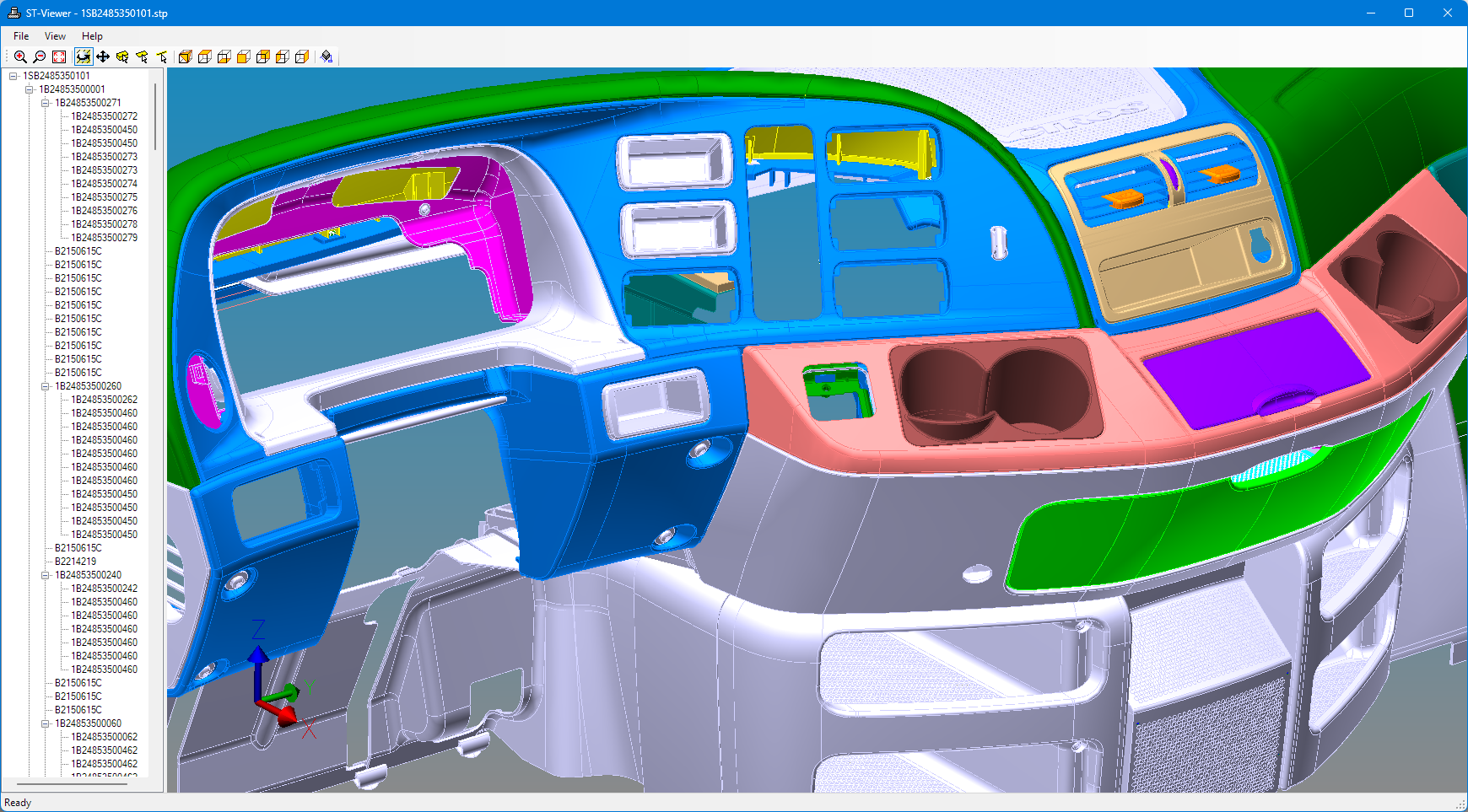
Our IFC libraries cover the latest IFC 4x3 schema and all earlier versions back to IFC 2x3. We have built in extensive data migration capabilities to accommodate places where the different versions have changed the names of definitions, added fields, or removed fields.
The IFC meshing library has been expanded with support for many new kinds of geometry, like revolved area solids, swept disk solids, surface curve swept area solids, and more CSG constructs. Through extensive testing and refinement against a set of 380 real-world customer files, we have eliminated many issues with problematic faces and booleans. Boolean calculation failures have been cut by 75%. Meshing and viewing is much faster on files that share large amounts of geometry.
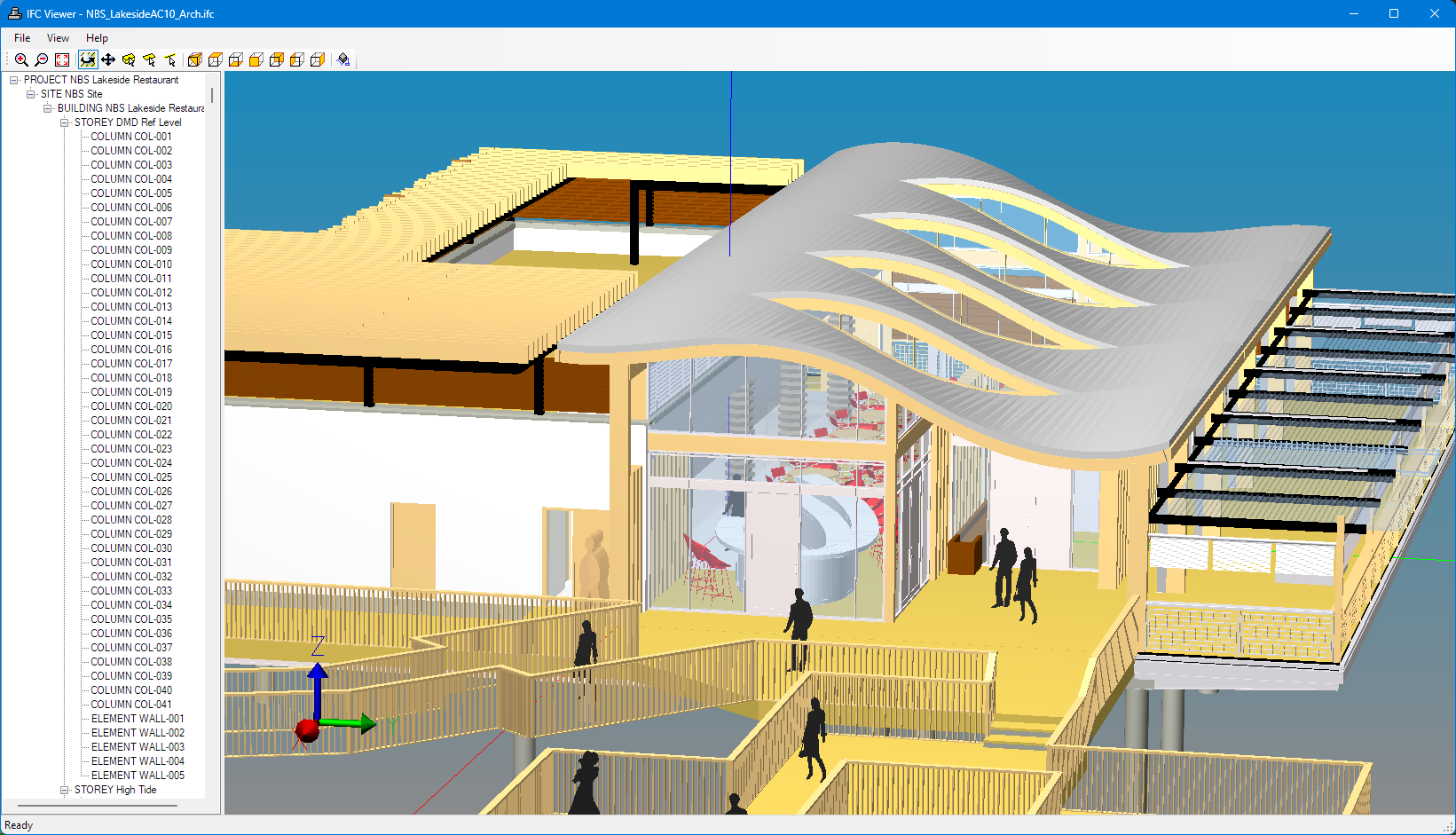
STEP CAD Exchange

The fourth edition of AP242 contains enhancements for datum sets, tolerance modifiers and other new definitions. Earlier editions expanded the definitions for presentation, features, model associativity, semantic tolerances, additive setup, tesselated models, point cloud data, kinematics, assembly constraints, and PMI. All of these definitions go far beyond what AP214 and AP203 could originally handle.
Build a STEP importer or exporter with our libraries, read and write STEP models using C++ classes for the latest AP242e4 definitions or older AP203/AP214 models. Create meshes for visualization or analysis, build or use STEP assemblies, tolerances, and CAD geometry.
Use STEP Explorer to view geometry, assemblies, and semantic tolerances in the latest AP242 models with a completely reworked graphics core for fast performace on very large assemblies and files containing millions of instances. Our STEP checking and browsing tools warn about potential problems in files, find and correct them.
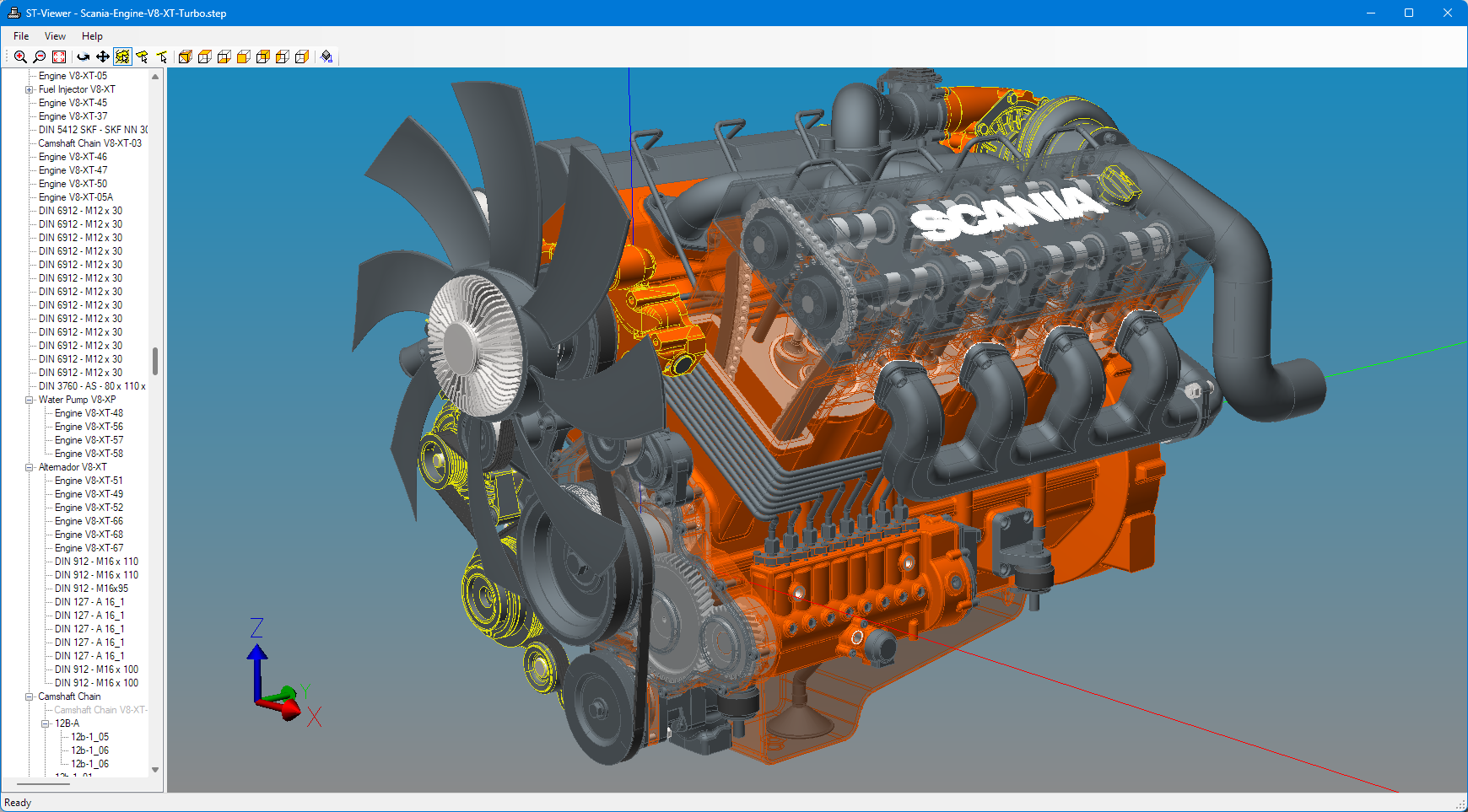
The STEP components:
- STEP C++ API - Read and write the latest AP242, AP238, AP214, and AP203 definitions as C++ classes for fast programming on any STEP model. Transform STEP geometry into meshes for OpenGL, WebGL, or additive manufacturing. Use APIs that simplify work with assemblies, properties, axis placements, units, and measures found in STEP models.
- Tolerance API - High-level AP242e2 GD&T and PMI functions in .NET/Node.
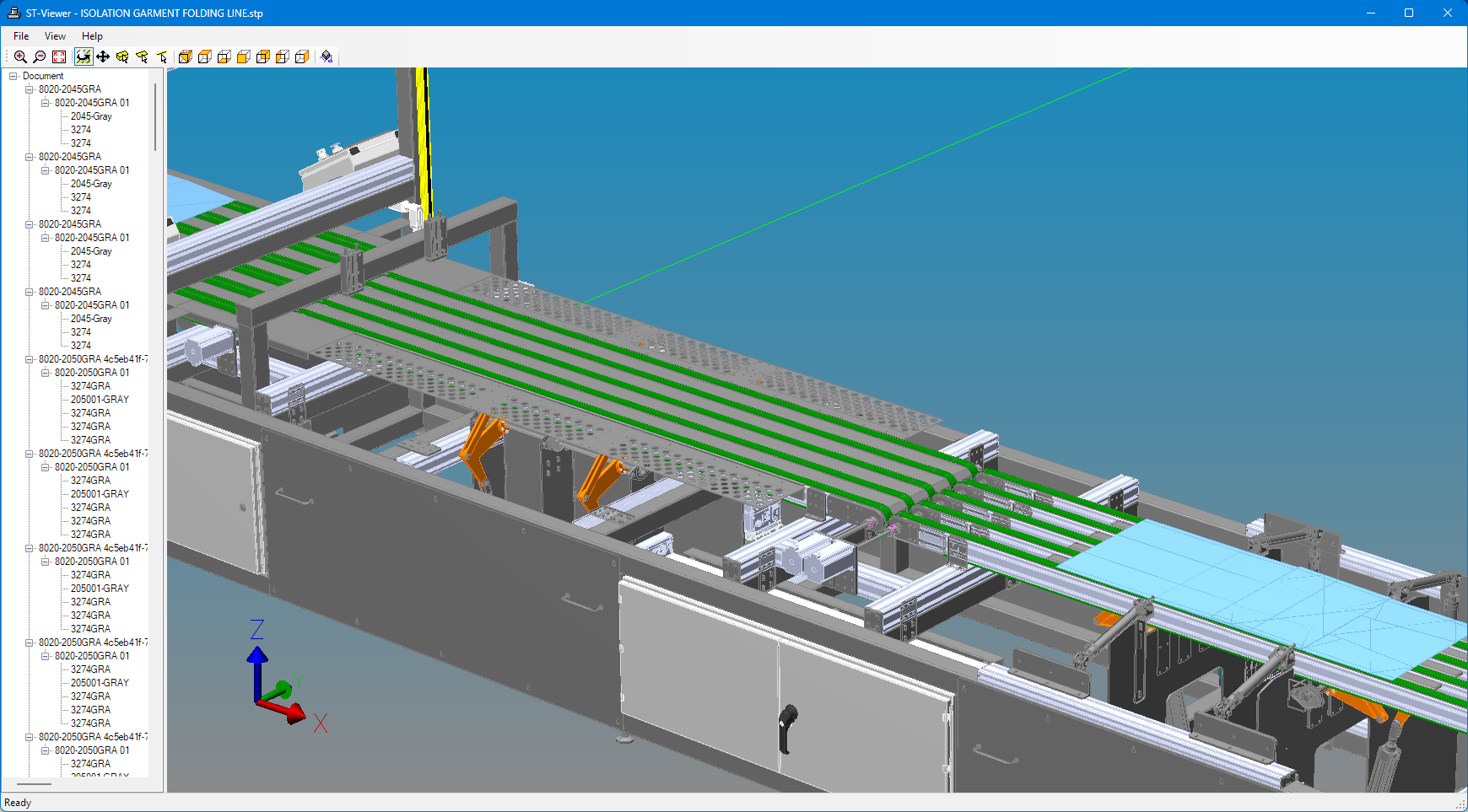
- STEP Viewing - See the geometry, assemblies, and tolerances. Our meshing and interactive drawing speed have increased by an order of magnitude over earlier releases and are suitable for use with very large product models.
- STEP Check and Browse - Test files for conformance and trace details within.
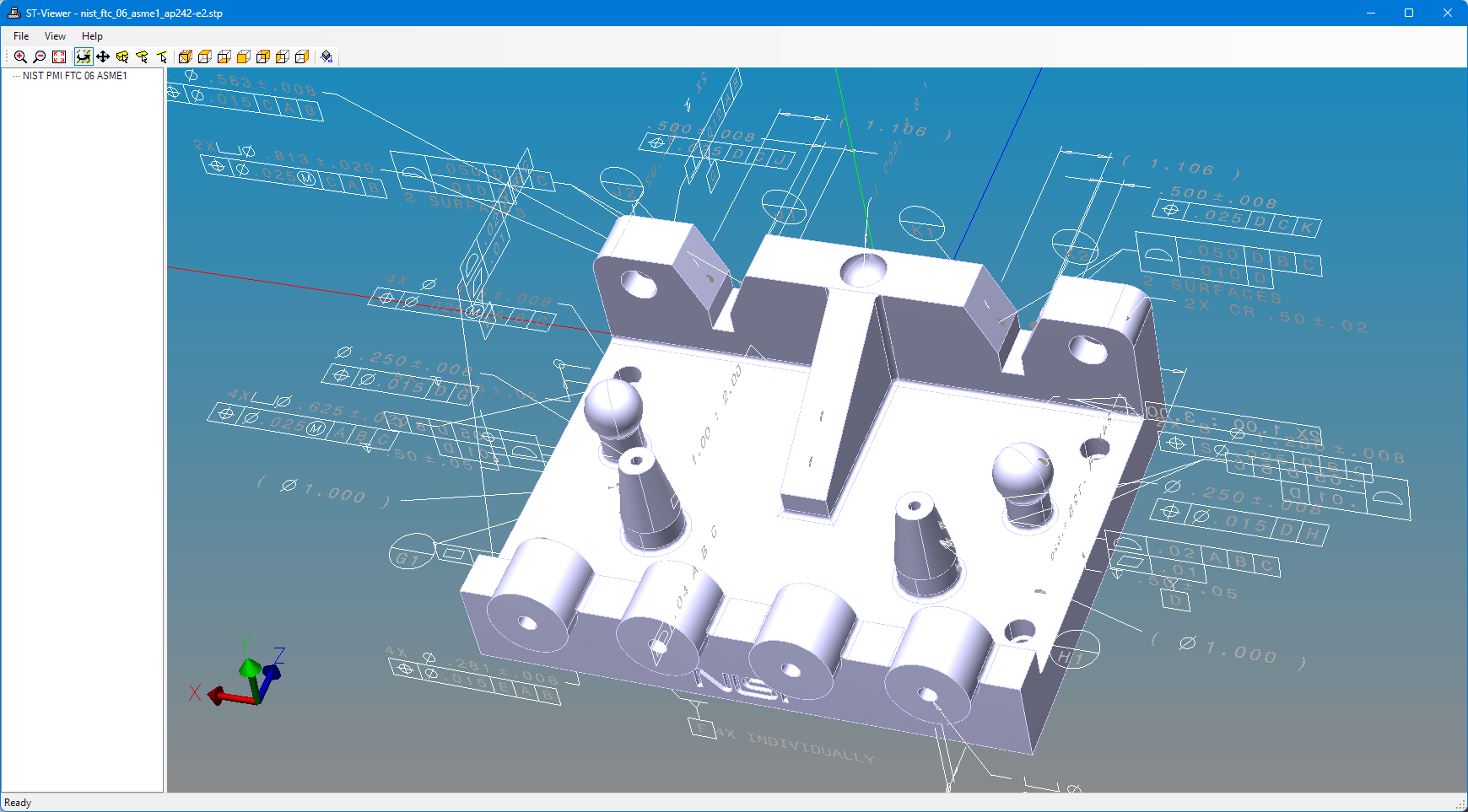
The STEP Programming API has C++ classes for every type of data that can be found in a STEP file, whether it was written by an AP203 system in 1995, or the most modern AP242 fourth edition translator in 2026. The C++ classes make it easier to program with IDE tool tips and strong compiler type checking. Read any STEP file, and write files with the latest features for modern applications or for compatibility with older ones. STEP applications are also simple to package, with no need for extra runtime support.
The STEP meshing API converts Brep geometry into triangular meshes for viewing or analysis. The mesh has full associativity back to the original geometry, so you can associate tolerances and PMI, or select faces in a viewer. This release benefits from extensive testing and algorithm improvements, and our meshing API performs even faster, particularly for spline surfaces!
The API has product and shape indexes that simplify work with assemblies and give quick access to the assembly structure, geometry and transforms. Other groups of functions provide high-level operations to make or query STEP tolerance and PMI annotations, presentation, units, measures, contexts, and STEP dates.
STEP sample projects help you get started quickly, with programs to facet assemblies, make STL from STEP, build b-rep geometry, make new assemblies, and traverse existing assemblies.
The latest AP242 tolerances and PMI are easy to create or use with the High Level Tolerance API. These functions are callable in .NET or Node.js and work with face callouts, geometric tolerances, dimensions, datums, and the wide range of modifiers supported by AP242 second edition!
Our STEP Viewing tools show the geometry, assemblies, and tolerances as 3D display, so you can see the contents as intended.
Analyze STEP files and test them for correctness with the STEP Check and Browse tool. Batch check files or explore the contents interactively using the built-in browser. Build instance graphs, follow links forwards and backwards between objects, see the range of types in the file, look at the EXPRESS schema definitions, and examine STEP files that are hundreds of megabytes in size! The stack also includes batch checkers customized for AP214, AP209, and AP203.
Applications can also work with older IGES models using our IGES Read/Write API. This C++ library has classes for all definitions in IGES 5.3 and contains special routines to read and write that data in IGES formatted files.
IFC BIM Exchange

Build an IFC importer or exporter for your product, read and write any IFC model using C++ classes for the latest IFC4 or IFC2x3 definitions, create meshes for visualization or analysis, build or navigate IFC assemblies, geometry, and relationships.
Our API handles the IFC 4x3 schema as well as all earlier versions, the mesher computes boolean removals and voids, parallel operation on trimmed spline surfaces and the full range of swept profiles. We also build a product structure index that makes it easy to work with the IFC assembly relations (aggregates, contained in spatial structure) and continue to simplify work with placements, units and other common model structures.
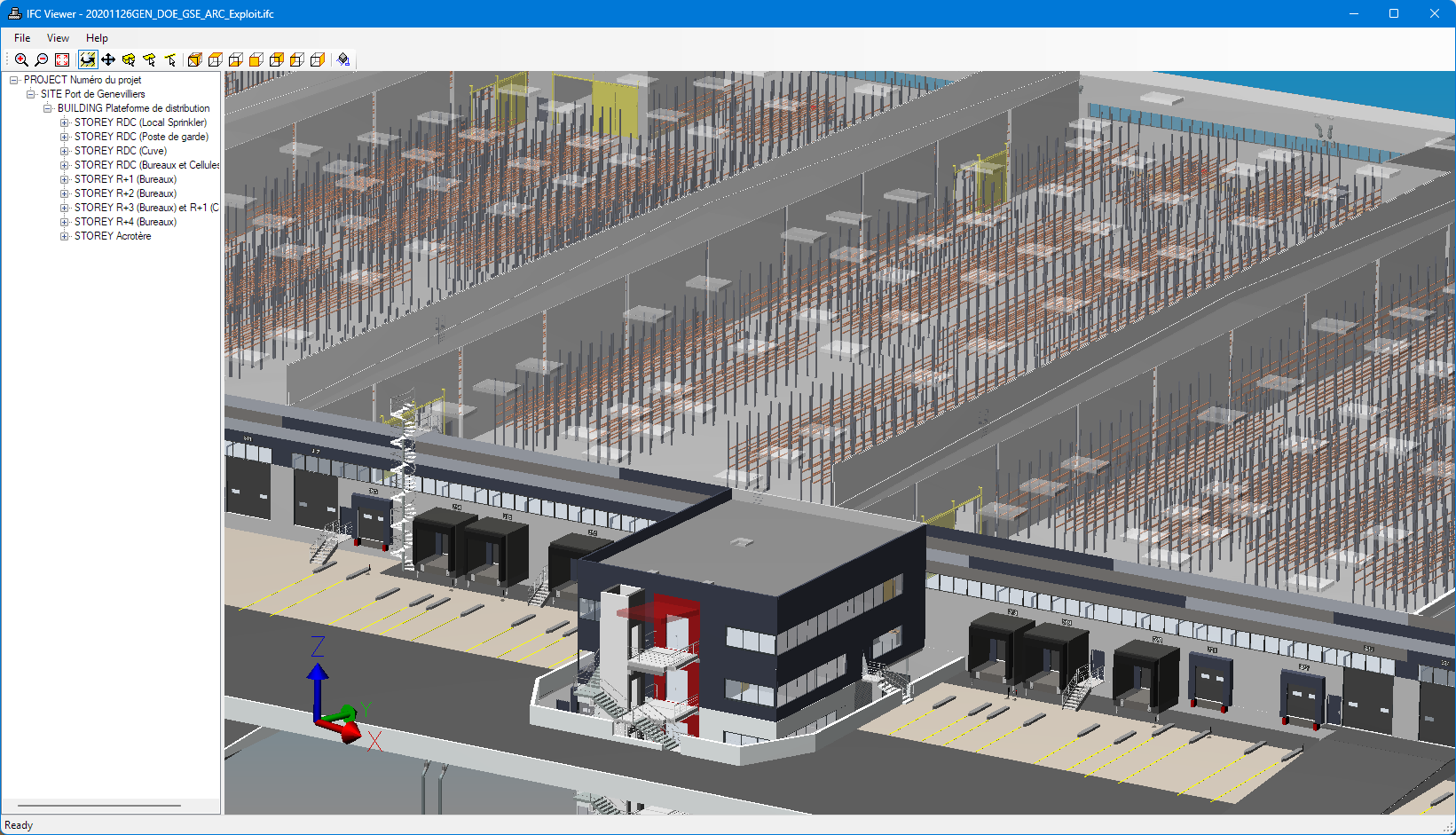
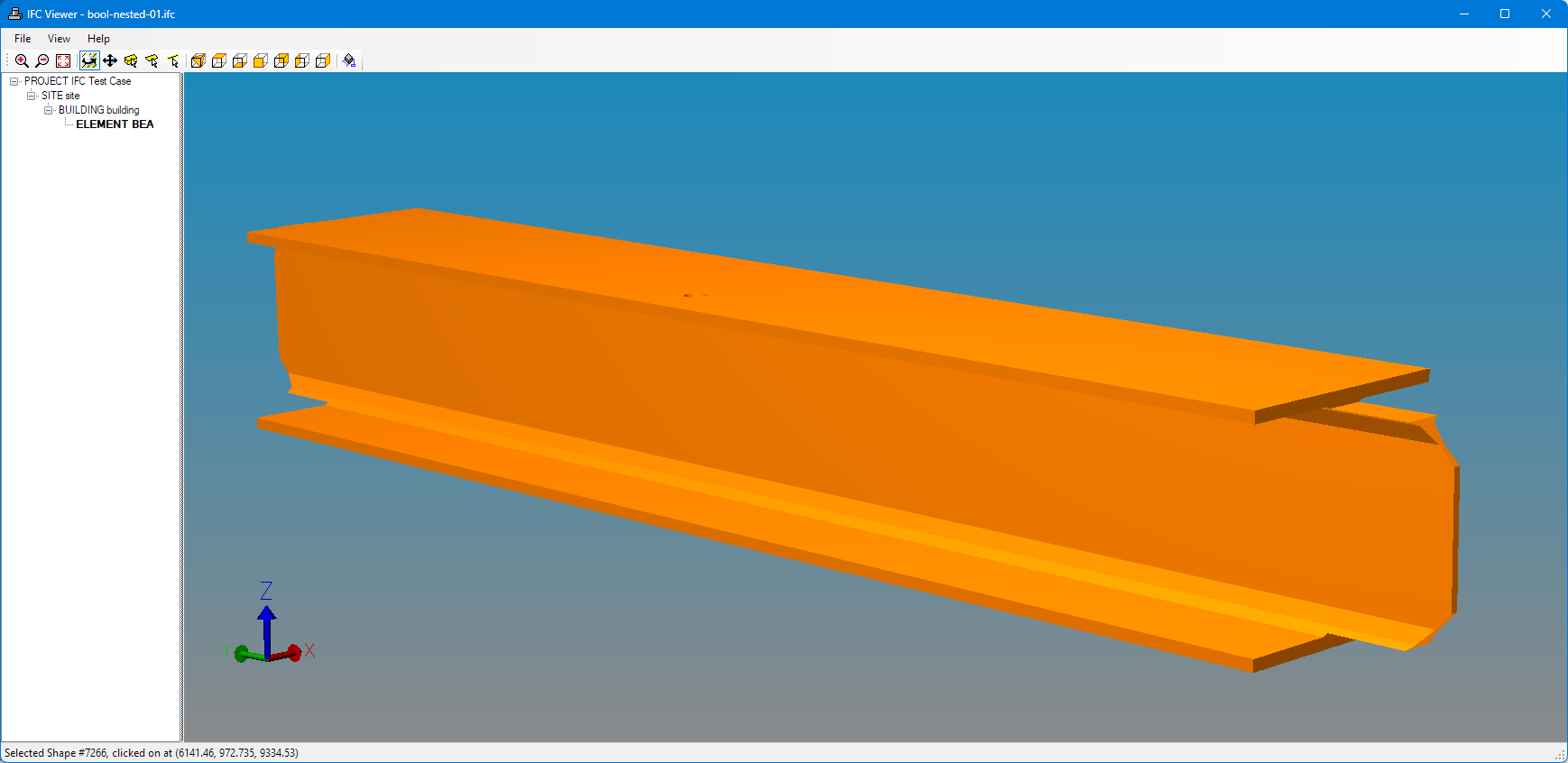
Our IFC viewer displays building geometry and spatial structure, product structure and containment, computes boolean removals, clipping, and voids relationships. We have added support for dozens of new types of geometry and a completely reworked graphics core for fast performace on very large assemblies and files containing millions of instances. In the v21 release we have further improved viewing for files that share the same geometry thousands or millions of times. Our checking and browsing tools warn about potential problems in files and help you find and correct them.
The IFC meshing library has been expanded with support for many new kinds of geometry, like revolved area solids, swept disk solids, surface curve swept area solids, and more CSG constructs. Through extensive testing and refinement against a set of 380 real-world customer files, we have eliminated many issues with problematic faces and booleans. Boolean calculation failures have been cut by 75%.
Some of the IFC components we provide:
- IFC C++ API - Read or write any IFC file with C++ classes for all definitions. Covers IFC4x3 back through all earlier versions to IFC2x3. Make meshes for viewing, STL, or analysis. Background meshing across multiple cores, computes voids and boolean results, IFC4 splines and many more geometric types.
- IFC Viewer - Examine IFC geometry, building storeys, contained products, and properties.
- IFC Check and Browse - Test files for conformance and trace details within.
- CIS/2 EXPRESS API - Read or write CIS/2 files with C++ classes for all definitions.
The IFC Programming API has C++ classes for every type of data that can be found in IFC files, from the latest IFC4x3 through IFC4, and IFC2x3. The C++ classes make it easier to program with IDE tool tips and strong compiler type checking. You can read any IFC file, and write files with the latest features for the latest applications or for compatibility with older ones. The library has extensive data migration capabilities for where the different versions have changed the names of definitions, added fields, or removed fields. IFC applications are also simple to package, with no need for extra runtime support.
The API also provides a mesher that converts IFC geometry into triangular meshes for viewing or analysis. The mesh has full associativity back to the original geometry and product structure. The meshing API supports many kinds of geometry, with new support for revolved area solids, swept disk solids, surface curve swept area solids, and more CSG constructs. The latest release benefits from extensive testing and refinement against a set of 380 real-world customer files, with greatly improved boolean calculations and handling of poor quality data.
IFC sample projects help you get started quickly. Sample programs show how to create meshes for an IFC spatial structure, transform the components into the proper position in space, Create an IFC building with a simple block shape, GUIDs, owner history, units, and basic spatial structure. Create a standard wall and attache property sets and quantities to it. Recursively prints an IFC assembly — the spatial structure beginning with the IfcProject root. Find and print the properties associated with each IfcWall instance in an IFC file.
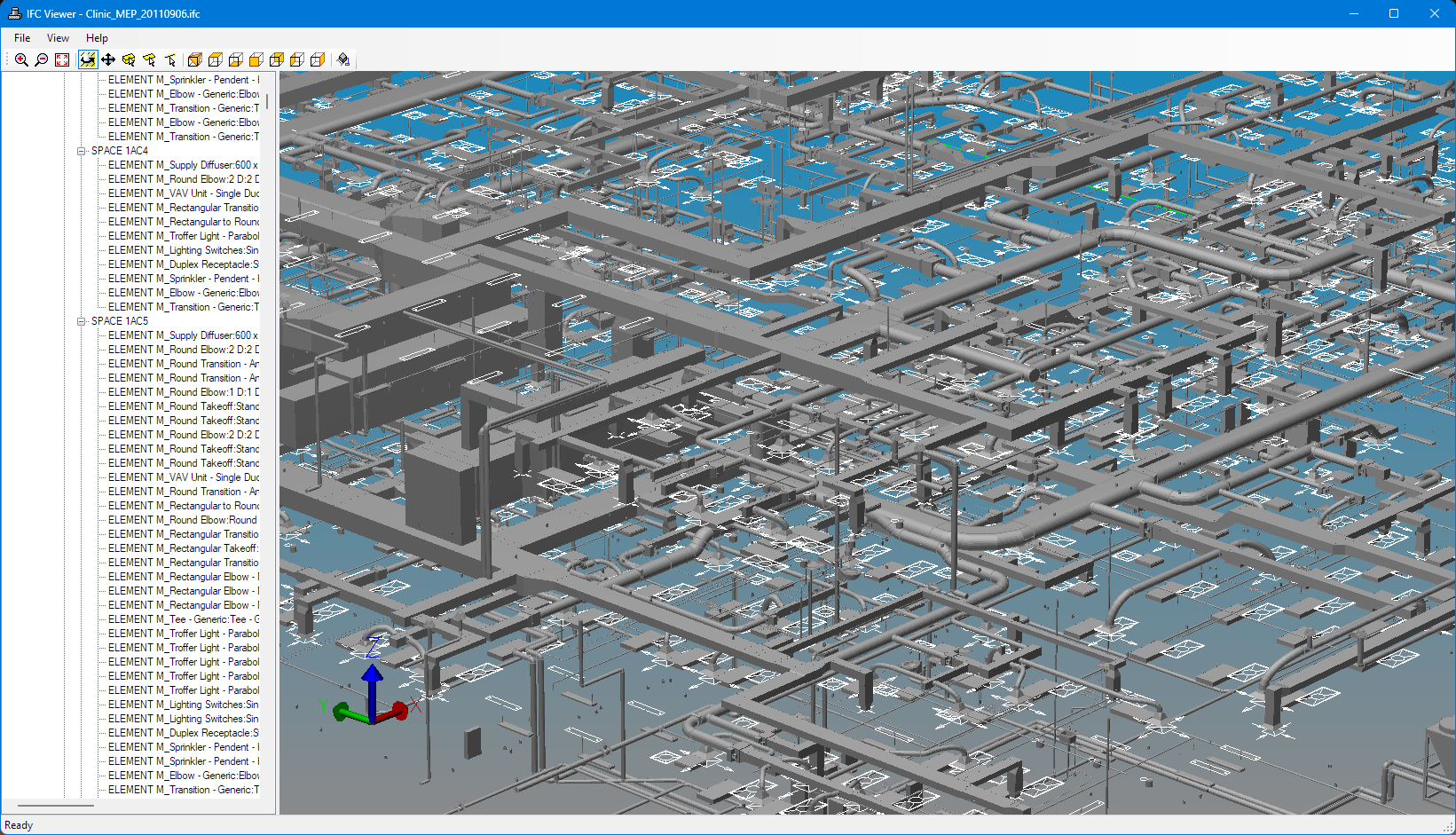
Analyze IFC files and test them for correctness with the IFC Check and Browse tool. You can batch check files or explore the contents interactively using the built-in web server. Build instance graphs, follow links forwards and backwards between objects, see the range of types in the file, look at the EXPRESS schema definitions, and browse IFC files that are hundreds of megabytes in size!
Applications can also process structural steel definitions using the CIMsteel Integration Standard with the CIS/2 EXPRESS API. This C++ library has classes for all definitions in the Logical Product Model for CIS/2. As with the IFC EXPRESS, classes make it easier to program with IDE tool tips and prevent type mismatches.
Core Capabilities
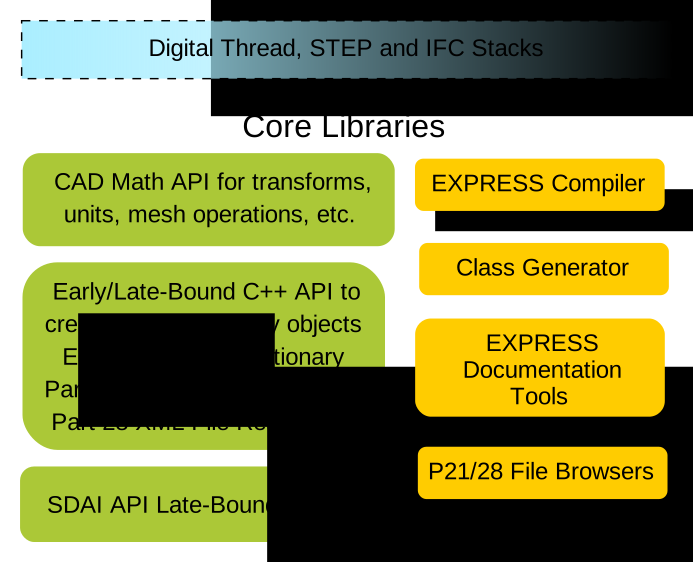
Our core libraries and tools are the foundation for your demanding digital twin and data exchange applications. These libraries read, write, and manipulate models described by EXPRESS schemas, which define the structures and constraints for STEP, STEP-NC, IFC, CIS/2, DSTV and other protocols.
Build applications in C++ with EXPRESS schema classes for fast access and strong compiler type checking, advanced search and traversal features such as USEDIN, late-bound operations using the EXPRESS data-dictionary, perform CAD math for transforms, meshes, and other spatial operations, and control STEP physical files.
- ROSE Core API - C++ objects for EXPRESS data, read and write files, create, update, delete, index, and search models. EXPRESS data-dictionary and late-bound access too. Foundation for higher-level APIs specific to STEP, IFC, CIS/2.
- ROSE Math API - Work with vectors, transforms, meshes, unit conversions, and other operations common to engineering data. Now with operations for ISO 8601 timestamps.
- SDAI C API - Late-bound C API for EXPRESS data. Defined by ISO 10303-24.
- EXPRESS and File Tools - EXPRESS tools for developing and testing new schemas not covered by the STEP, STEP-NC, IFC, or Digital Twin stacks. Includes a compiler for checking, generators for C++ classes, HTML and diagrams, and Part 21 and Part 28 file tools for low-level browsing.
The ROSE Math API provides common engineering math operations. The API provides definitions for the mesh structures used by the STEP and IFC Meshers. It also has vector arithmetic and coordinate system transform functions, unit conversion, bounding box resources and ISO 8601 timestamps. It also has utilities for writing mesh data to STL, AMF, 3MF, XML and JSON structures.
The ROSE Core API defines the foundation classes for EXPRESS structures and the framework for grouping these objects as models in memory that you can read or write to files. This API is fast and solid, with over thirty years of use and stress testing in commercial CAD applications with thousands of the most abusive files that our corporate customers could find.
The library reads and writes the latest Part 21ed3 file format, which adds a new ANCHOR section for externally visible names. ZIP archives are now defined for STEP data, and the UTF-8 encoding for string data is now allowed. The ROSE Core API handles these new capabilities transparently.
AP242 metrology applications are using the ANCHOR section to assign UUIDs to semantic tolerances for coordination with QIF and MTConnect. The example below shows some tolerances with UUIDs:
ISO-10303-21;
HEADER;
FILE_DESCRIPTION( (''), /* New Part 21e3 level */ '4;1');
FILE_NAME( [ ... Usual Header ...]);
FILE_SCHEMA (('AP242_MANAGED_MODEL_BASED_3D_ENGINEERING_MIM_LF
  { 1 0 10303 442 1 1 4 }'));
ENDSEC;

ANCHOR;
/* UUIDs for instances in the file */
<eb6fa56d-d799-47c8-af74-41fc1ae53e4c>=#10;  /* product_definition */
<c1e3e57c-e2ba-443d-a7bb-552d91bcfb56>=#972;  /* datum_feature */
<f4671b18-a842-491f-a9c3-0142e56ff848>=#776;  /* flatness_tolerance */
<8491e775-ec2d-4228-a874-591c82dea200>=#740;  /* datum */
ENDSEC;

DATA;
#10=PRODUCT_DEFINITION('','',#16,#28);
#11=PRODUCT_DEFINITION_SHAPE('','',#10);

[ ... ]

#740=DATUM('','',#11,.F.,'B');
#741=SHAPE_ASPECT_RELATIONSHIP('','',#972,#740);

[ ... ]

#776=FLATNESS_TOLERANCE('','',#777,#930);
#777=LENGTH_MEASURE_WITH_UNIT(LENGTH_MEASURE(0.1),#754);

ENDSEC;
END-ISO-10303-21;
Platforms and Compilers
The STEP Tools® software is available for the operating systems and compiler combinations shown below. This release adds support for Visual Studio 2026 C++ compiler and native support for Windows running on the ARM64 architecture.
On MacOS, the dylib files now prefix their install name
with @rpath/ for easier relocatable packaging.
| Platform | Supported Compilers |
|---|---|
| Windows Intel 32bit | Visual Studio 2026 (VC++ 18), Visual Studio 2022 (VC++ 17), with the /MD option. Library versions for static and DLL linking. |
| Windows Intel 64bit | Visual Studio 2026 (VC++ 18), Visual Studio 2022 (VC++ 17), with the /MD option. Library versions for static and DLL linking. |
| Windows ARM64 | Visual Studio 2026 (VC++ 18), Visual Studio 2022 (VC++ 17), with the /MD option. Library versions for static and DLL linking. |
| MacOS 11+, M1/M2 ARM and Intel 64bit | Clang (Xcode 12.0) with Mach-O universal libraries for ARM and Intel. Library versions for plain and position-independent static linking, and dynamic linking. |
| Linux Intel 64bit | GCC 4.8 and newer, which covers all distros currently in LTS back to RHEL7. Library versions for plain and position-independent static linking, and dynamic linking. |
Contact us to arrange other platforms or configurations. See the installation notes for Windows, MacOS, and Linux for details on each platform, library versions, C++ compilers and build flags.
The STEP Tools® libraries use several open source packages.